Snap Count
Why Snap Count Gallery Pricing Our Story
Log In Create Account
Legal
Ratings & Reviews Suggestions Help

Gallery

From kickoff to the final stat sheet

Nine real screens from a sample team's full season — no real players.
1 / 9
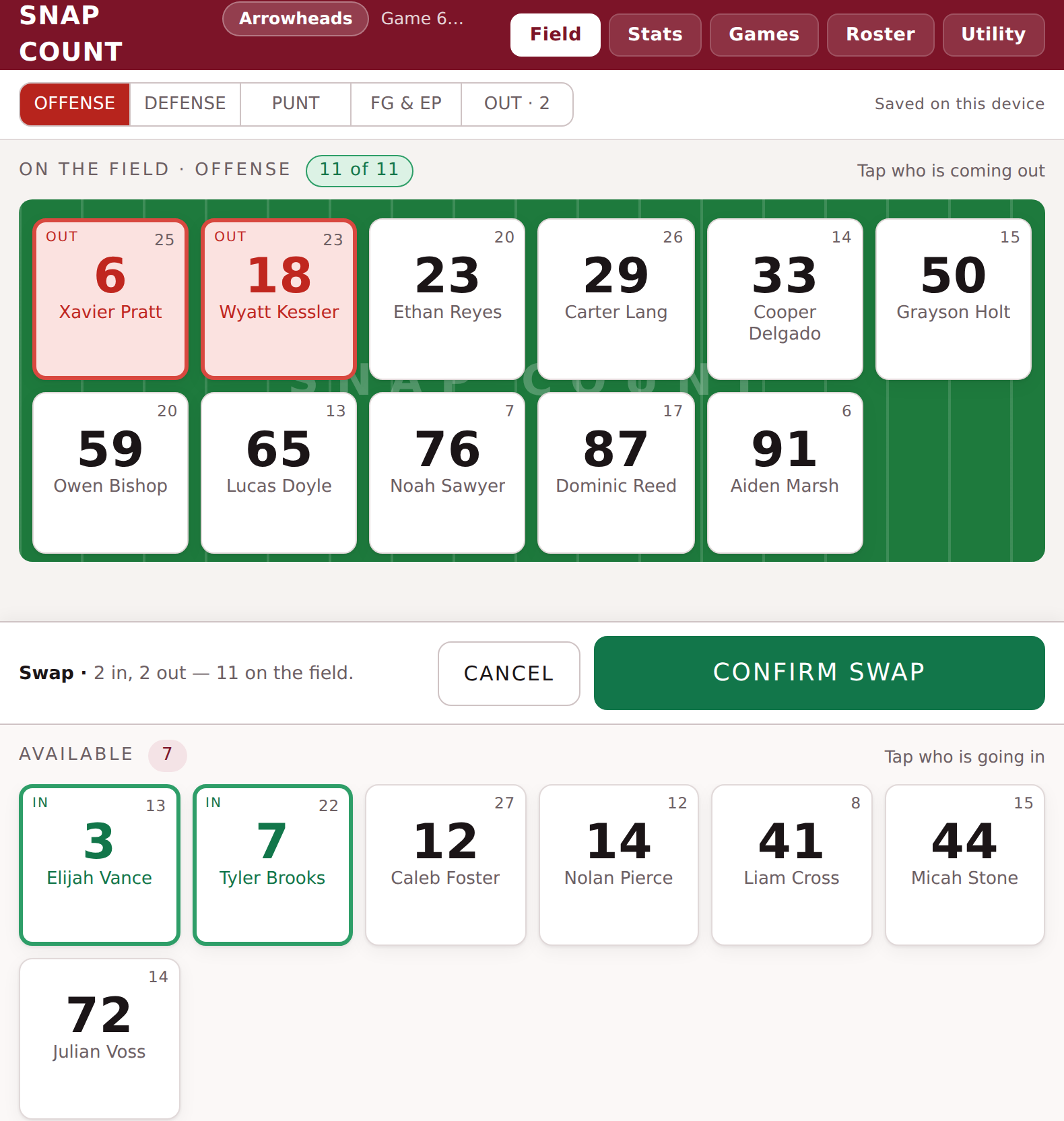
Standard tier Swap screen with two players marked OUT in red and two marked IN in green, ready to confirm the swap
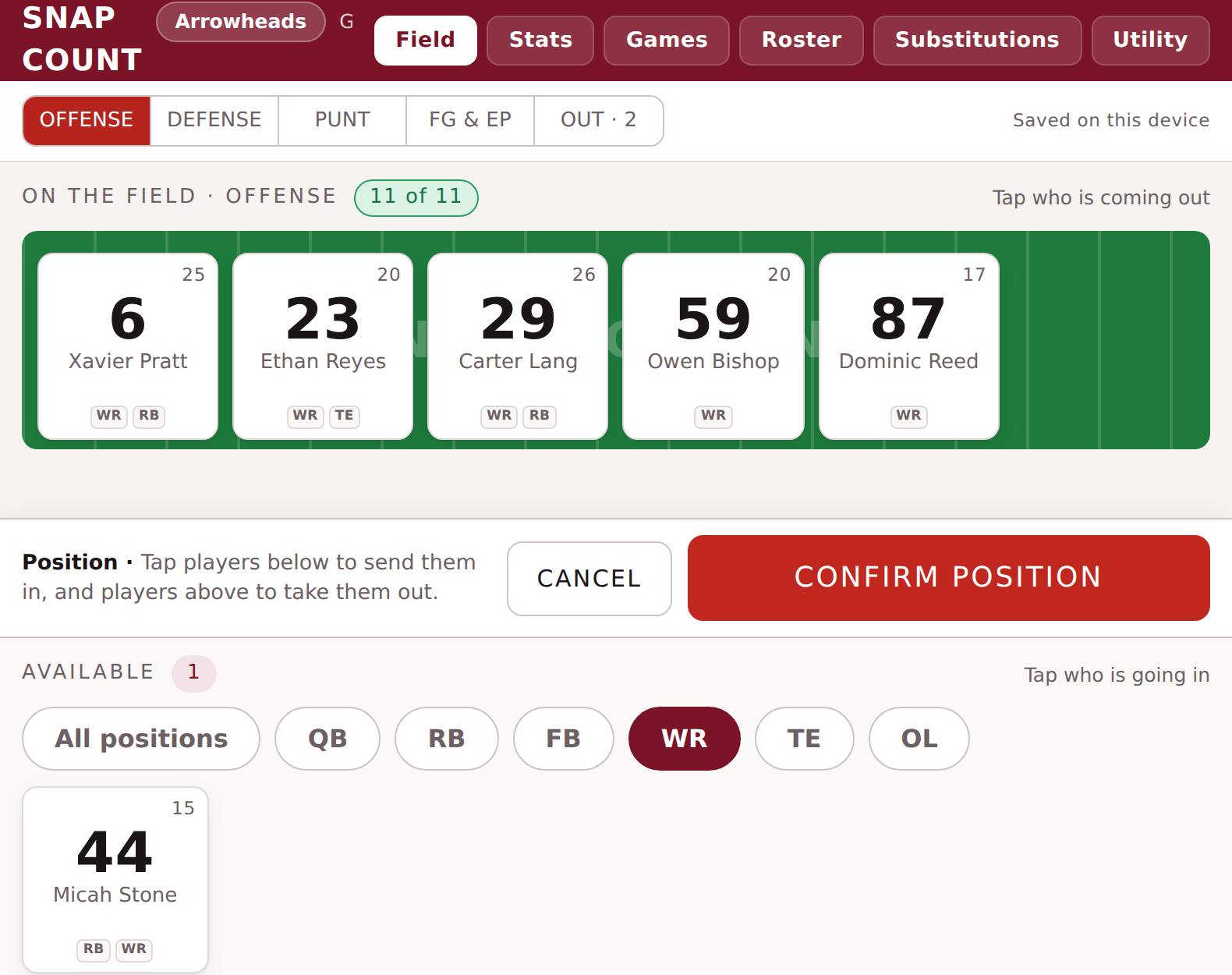
Pro tier Position screen filtered to WR, showing which bench player is tagged to play that position
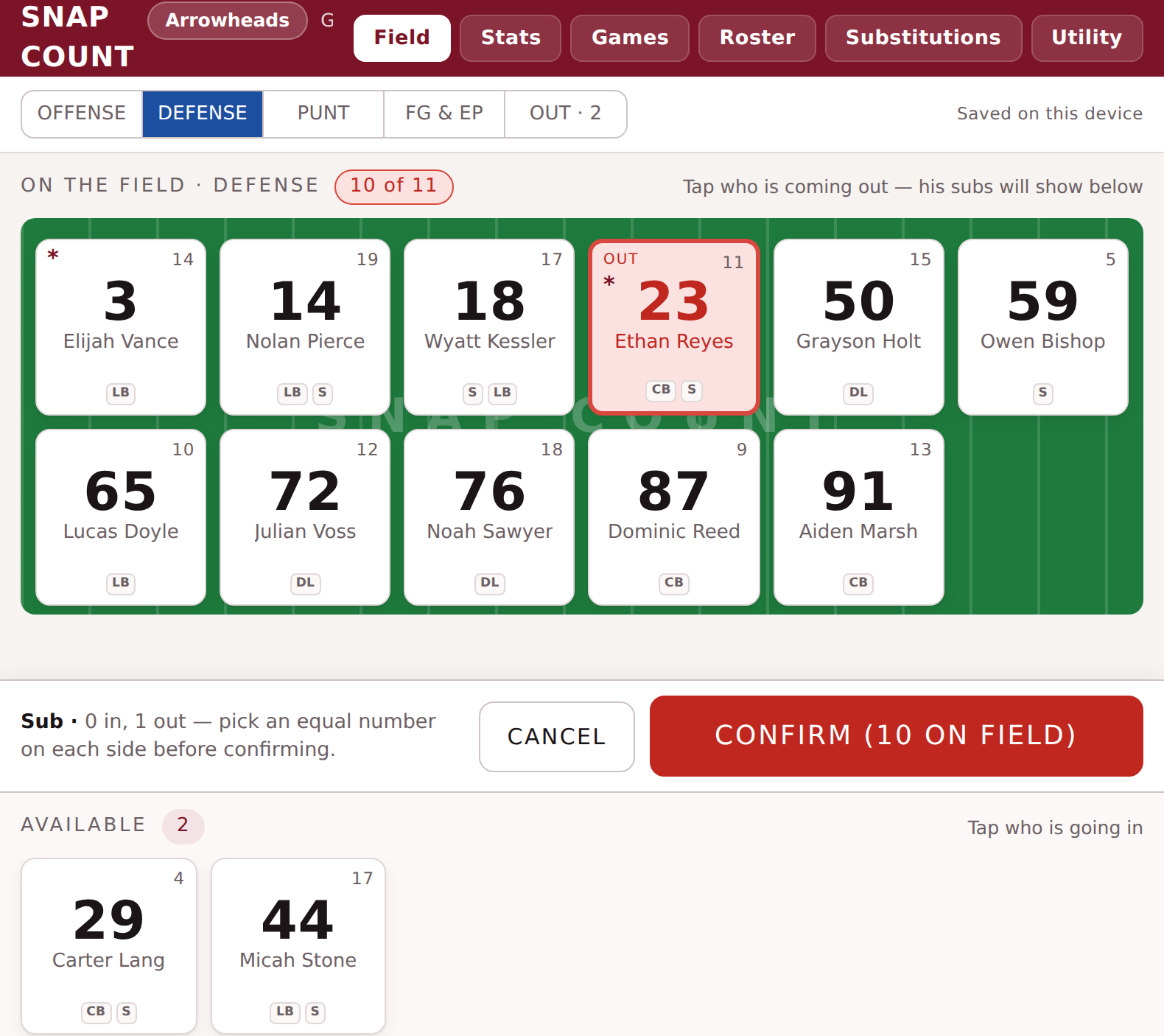
All-Star tier Sub screen showing a defensive player's own designated backups available to sub in
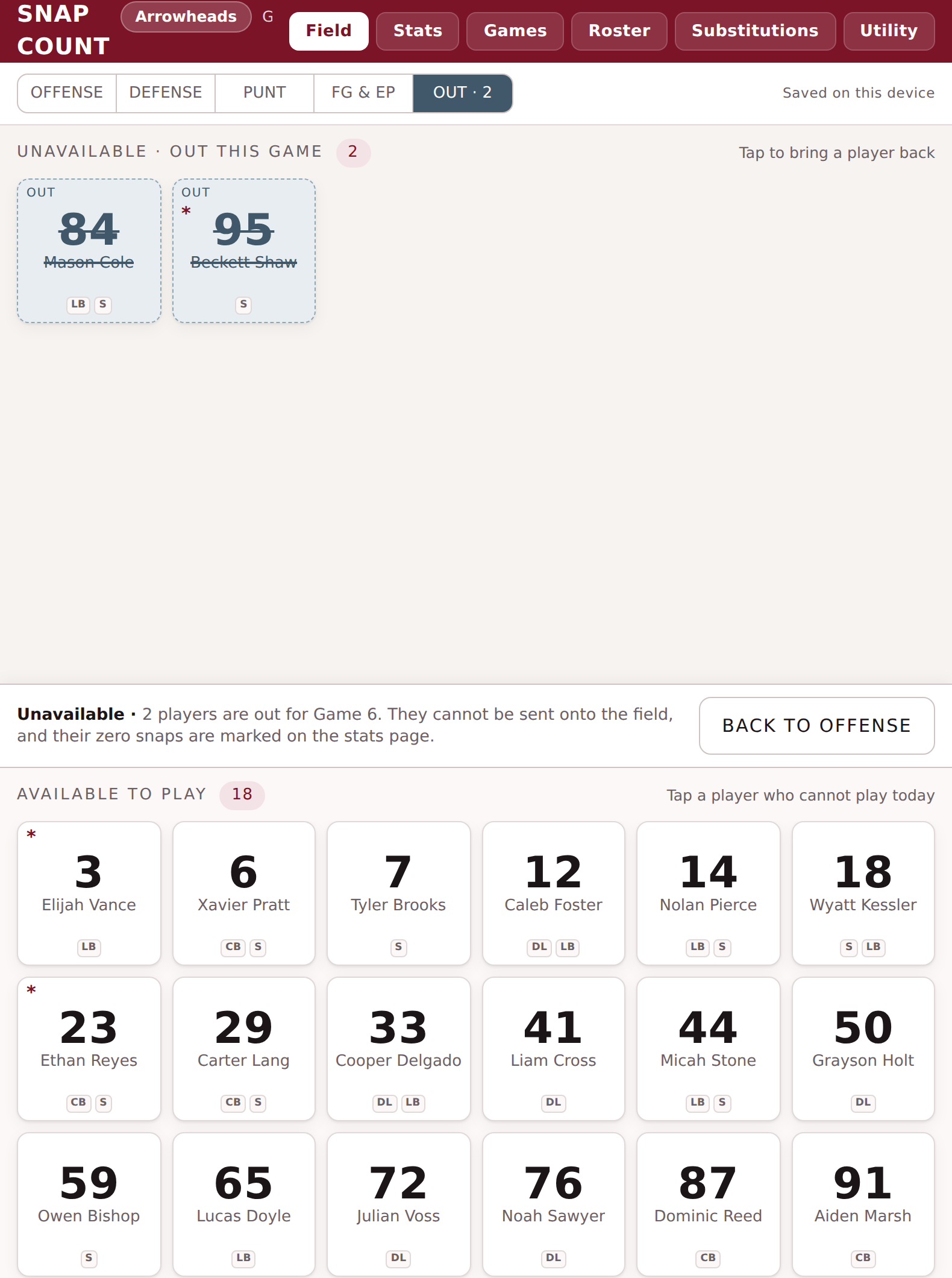
Unavailable screen with two players' names struck through and marked OUT for the game
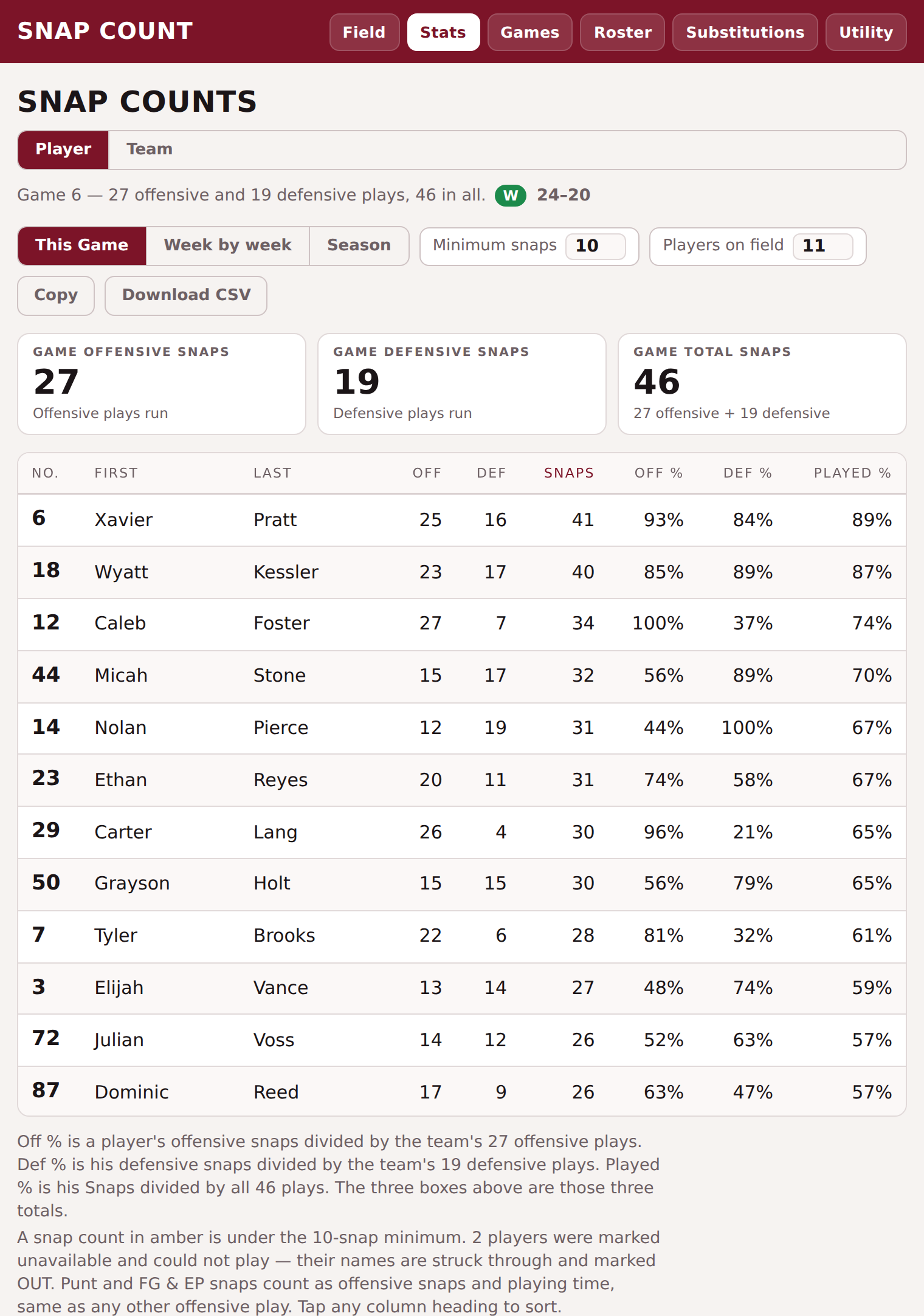
Stats screen, Player view for This Game, listing each player's offensive snaps, defensive snaps, total snaps, Off%, Def%, and Played%
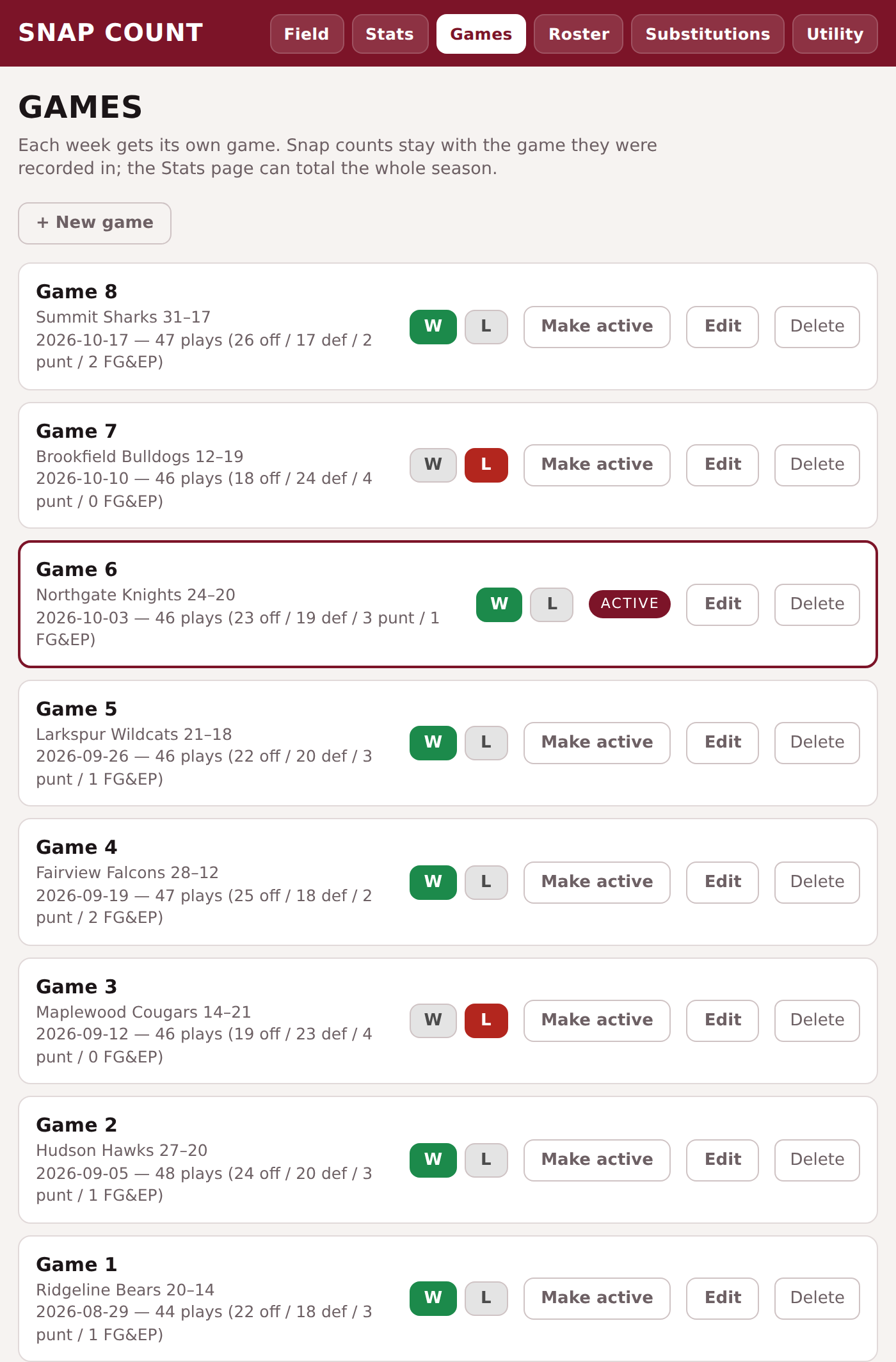
Games screen listing a full 8-game season with a Win or Loss marked on every game
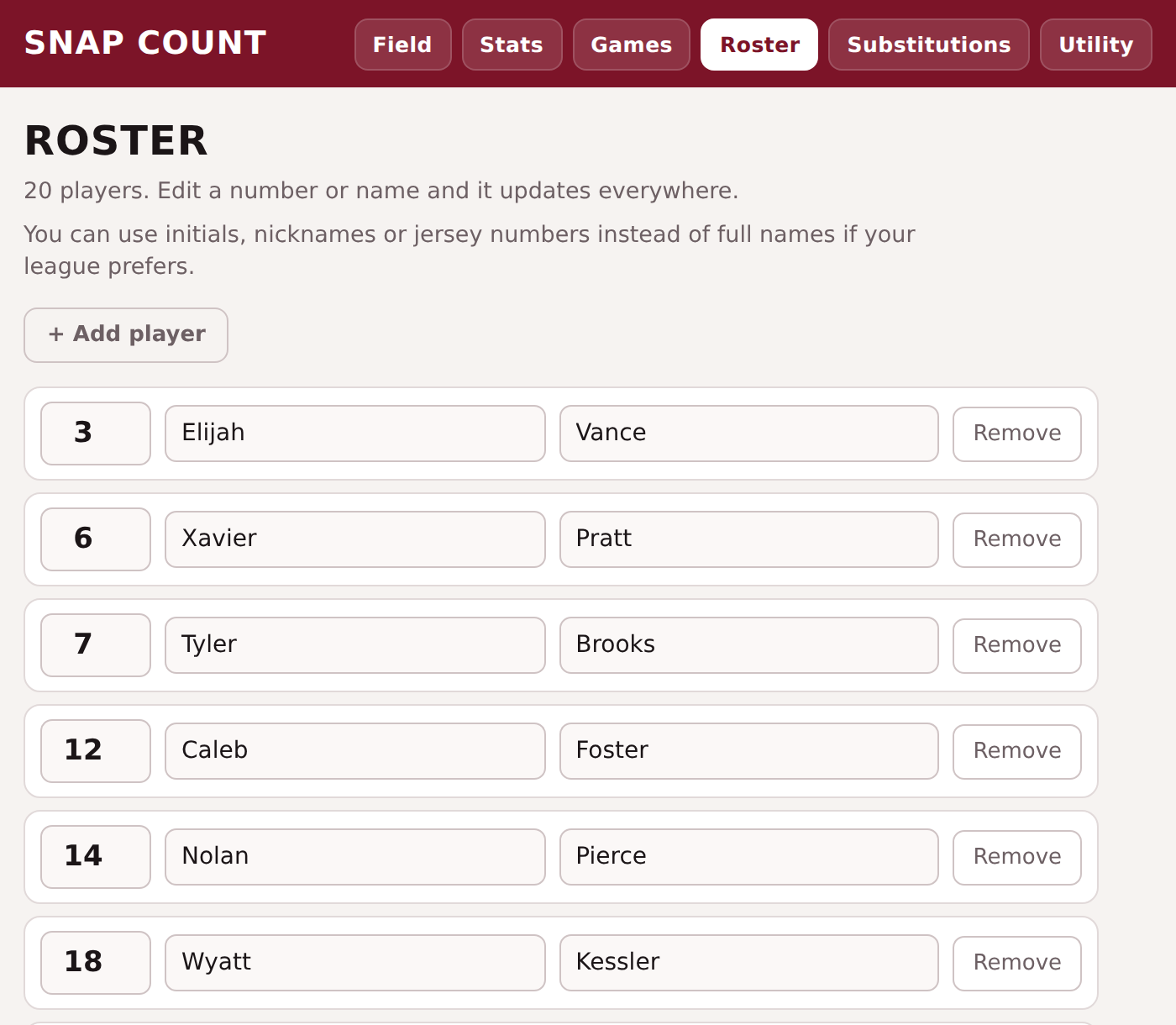
Roster screen listing every player's jersey number and name
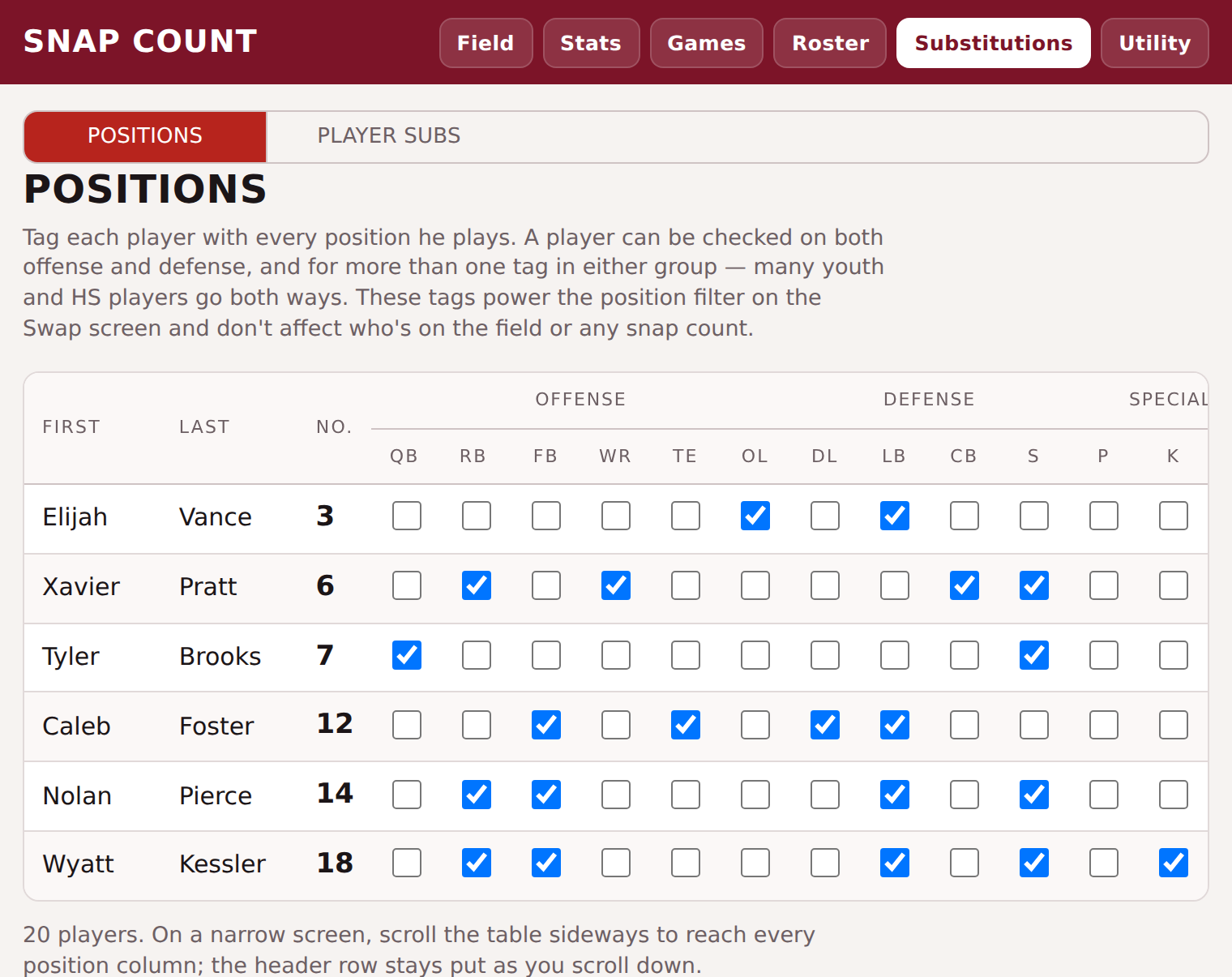
Positions screen with checkboxes tagging every offensive, defensive, and special-teams position each player can play
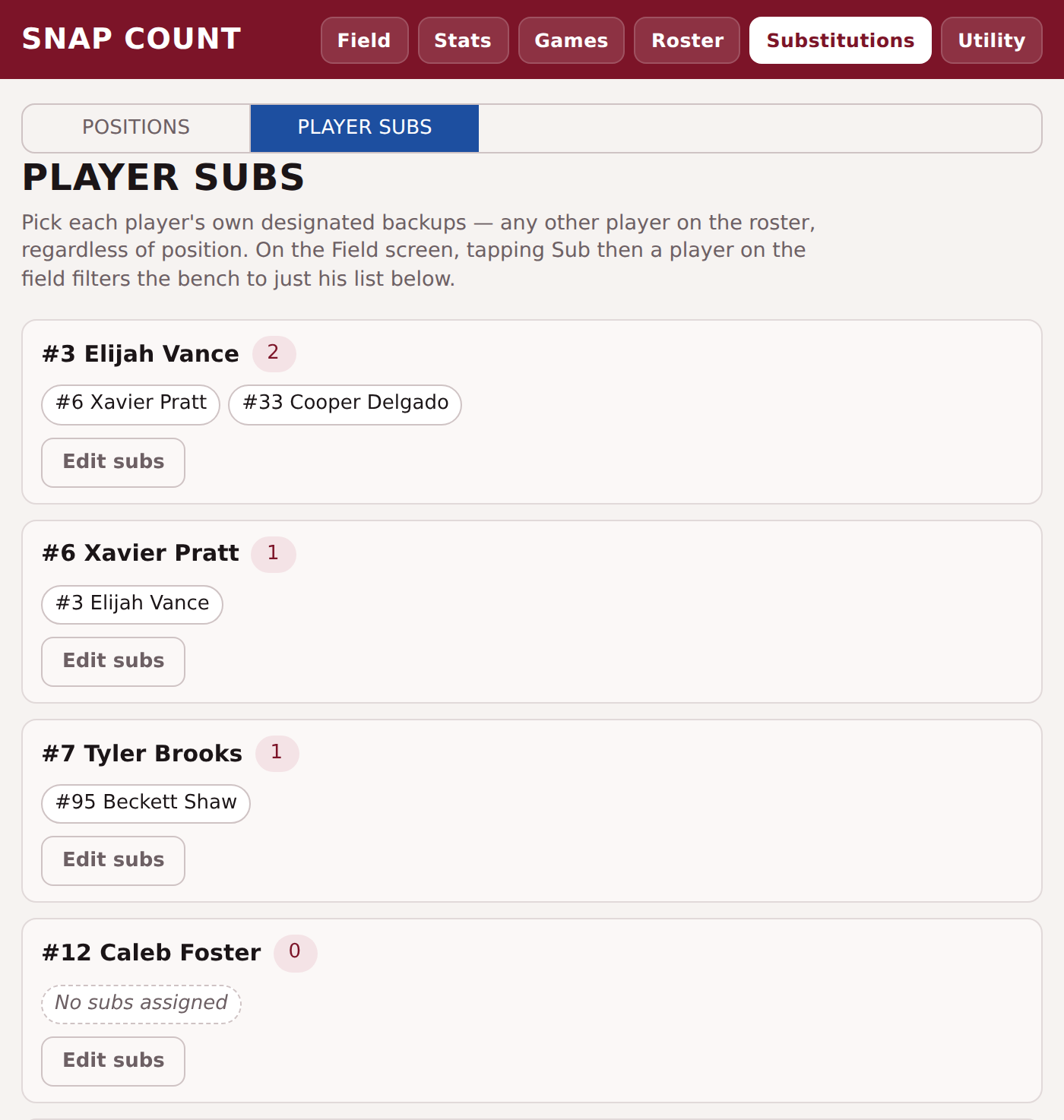
Player Subs screen listing each starter's own designated backups
01 · Standard: Swap

Standard already covers substitutions the simple way — tap who's coming out and who's going in, and Confirm Swap won't let the count drift from eleven.

Snap Count
Terms & Privacy Policy

Need help?

Visit our Help Center for a full guide to every screen, or email us directly at snapcountsupport@gmail.com.